On your wrist
The rides you watch and the queue timer on Apple Watch, so you can check a wait without getting your phone out.
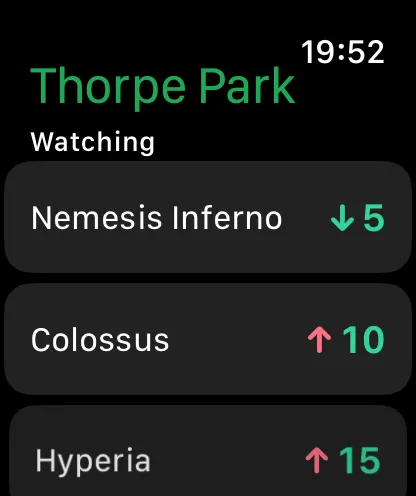
Your watched rides
Each one's wait and latest change at the park you're in. Pick them on your iPhone.
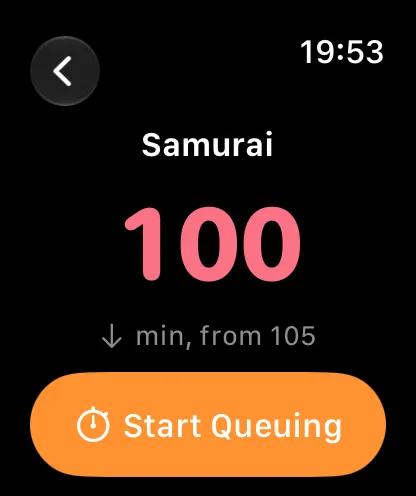
Start Queuing from your wrist
Tap a ride for its wait and start the queue timer without your phone.
Complications
Your shortest watched ride, a ride you choose or the queue you're in, right on the watch face.
Alerts on your wrist
Drop alerts from your iPhone arrive on your watch too.
More inside the app
- Starts at your parkThe first time you open Queue Drops it finds the theme park you're in with one tap, or you can pick any park we cover.
- The whole park at a glanceEvery ride's live wait at a glance, with a graph of the last hour, trend arrows and the rides you watch at the top.
- Every ride's own pageEach ride's live wait and latest change, a last-hour graph, the queue timer and the drop alert, all on one page.
- Waits on the mapEvery ride's wait on a coloured marker on the park map, so you can spot the short queues near you.
- Alerts your wayHow Queue Drops alerts work, when they're on, and what shows on your Lock Screen while you're at the park.
- Your day, keptTime each queue, see how your real waits compared with the board, and keep a summary of every visit in your own iCloud.